
Three seconds. No dependencies.
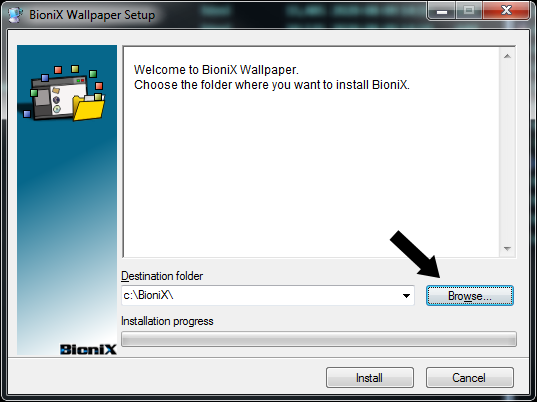
C:\BioniX Wallpaper. You can pick any folder you like.
Windows may show a SmartScreen warning the first time you run the installer. SmartScreen warns about new downloads until they build up a download history with Microsoft — even signed programs can see the warning at first.
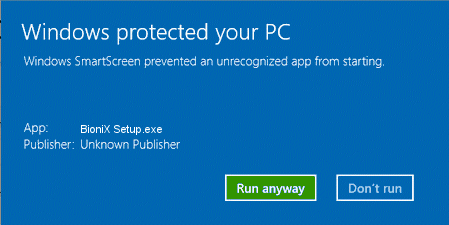
Simply click “More info” then “Run anyway”. You may see it again when you install a new version. Every release is scanned with Microsoft Defender and VirusTotal.
You do not need to uninstall the old version first. The new installer simply overwrites the old files.
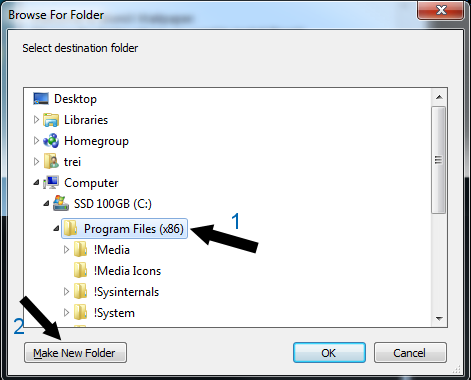
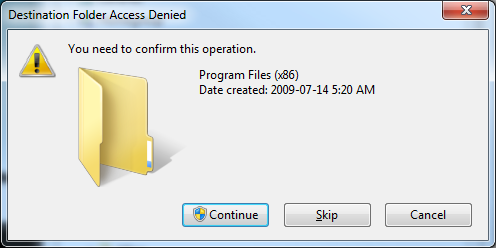
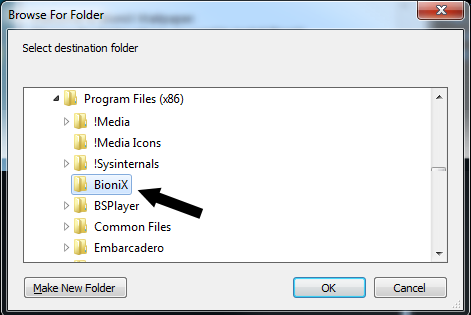
Program Files is a system-protected folder. You can still install BioniX there — here’s how:
BioniX is fully portable. Copy its folder to a USB stick and run it on any Windows PC without installing anything. Your settings travel with you.
Corporate users can deploy BioniX to many computers by copying an installed BioniX folder over the network, via USB, FTP, or any file-sharing method.
After the 15-day trial, keep BioniX free through the community program: post about BioniX, and how far your post reaches decides your membership.